NOUN eLearn Portal: Login, TMA & Online Facilitation Guide
The NOUN elearn portal is a simple platform for signing up for courses. Many students from around the world, including Nigeria, use it to learn about current global systems.
The National Open University of Nigeria offers distance and online education programs through its NOUN portal.
Advertisements
The National Open University of Nigeria (NOUN) began its journey in July 1983. Since then, it has trained many graduates and leaders. They help build strong economies and stable democracies around the world.
The NOUN elearn portal
This is a website for learning materials. It is simple to use and can be accessed easily. The Management Information System Directorate at the National Open University created it.
NOUMIS helps all students find important information.
How to Login elearn portal
The NOUN elearn portal is open to students and staff. Here are easy steps to log in to your NOUN account.
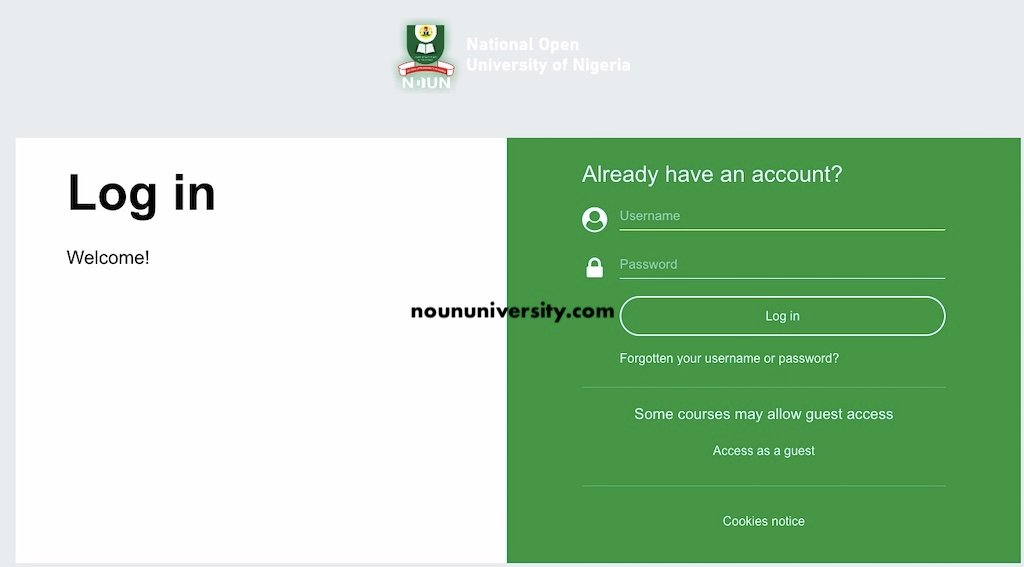
- Go to the official NOUN website: https://elearn.nou.edu.ng/
- Click on “Log in.”
- Type your matric number in lowercase for both your username and password.
- Click the “Login” button.
Once you log in, you can see your TMAs, course materials, and other learning resources.
When you log in for the first time, you will be asked to change your password. This is a security step to keep your account safe and personal. Changing your password helps protect your information and makes sure only you can access your account. This is an important part of logging in that you should pay attention to for your safety.
How to reset your password on the NOUN e-learn portal
If you forget your password, you can reset it. Follow these steps to reset your password on the NOUN student login portal.
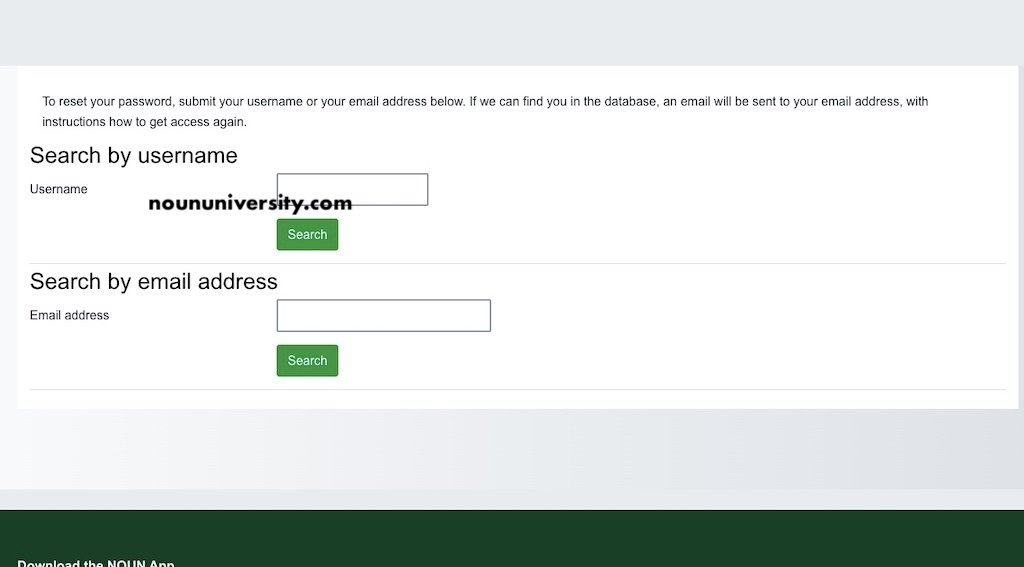
- Start by going to the NOUN elearn login portal – https://elearn.nou.edu.ng/login/index.php. Make sure you are on the right page to get real information and services from NOUN.
- When the page opens, look for the “Forgot Password” link. This link is usually on the login page. Click this link to go to the section for resetting your password.
- In the password recovery section, you will need to enter some information. You must provide your matric number, full name, and mobile phone number. Make sure this information is correct. It helps verify your identity.
- After entering the required information, find the “Submit” button at the bottom of the form. Click it to send your information for processing and move to the next step of resetting your password.
- Once your information is processed, you will receive an email in your registered inbox. This email will have a link to reset your password. If you don’t see the email, check your spam or junk folder, as it may end up there.
- When you find the email, click the link. This will take you to a new page where you can create a new password. Choose a strong password that you will remember and that meets any security rules from NOUN.
- Finally, remember to click the “Submit” button after you enter your new password. This saves your changes and resets your password successfully.
TMA Schedule on the NOUN elearn Portal
The eLearn portal is open for the 2024_2 semester. Please log in to your eLearn account to see if your courses are available.
Here is the schedule for the Tutor Marked Assignments (TMA):
- TMA 1 starts: Wednesday, 30th October 2024, at 12:00 AM
- TMA 2 starts: Thursday, 7th November 2024, at 12:00 AM
- TMA 3 starts: Thursday, 14th November 2024, at 12:00 AM
The NOUN elearn portal is for all students and staff. It allows students to easily access their TMAs, course materials, and other study resources.
FAQs – NOUN elearn portal login.
Tutor Marked Assignments (TMAs) are tasks that help check how well students understand the course material. They also see if students can use what they’ve learned.
You can use the NOUN student portal login link to check your grades, sign up for classes, and turn in assignments. This link also helps you register for your semester courses, apply for admission, and do other important tasks.